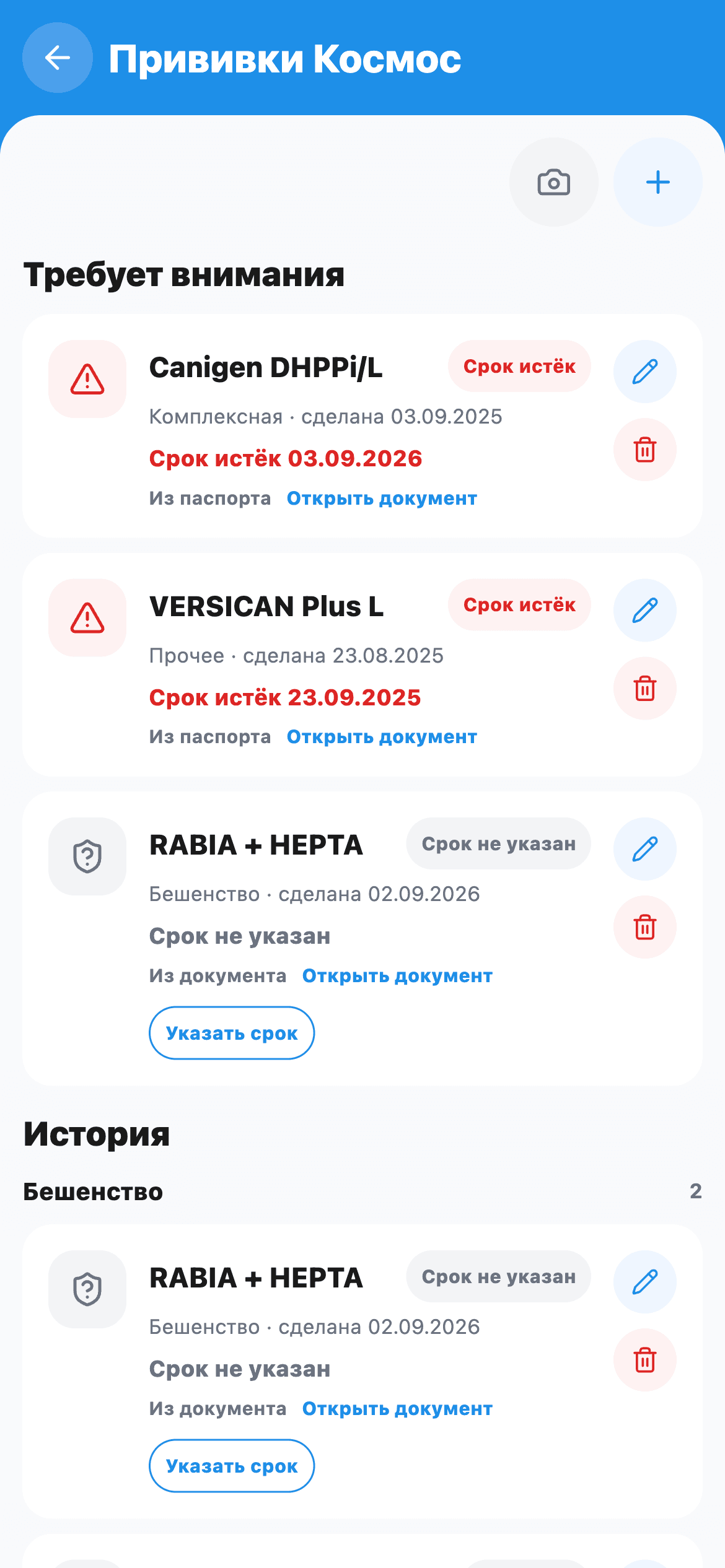
A vaccination history starts with evidence: gather the passport pages and other issued records, keep the dates and retain a source for each fact. Do not calculate validity or the next vaccination yourself from a sticker. Ask your vet about unclear details.
Gather sources, not just dates
A phone note can remind you of an event, but the original entry is useful for checking it. Find passport pages, clinic confirmations and earlier documents that add to the history.
Confirm that each entry belongs to the right pet. Similar vaccine names and nearby dates are easy to confuse across several animals. Do not transfer another dog’s or cat’s details, even if both attended the same appointment.
Keep different fields distinct
| Field in the document | How to handle it |
|---|---|
| Administration date | Keep as the event date when explicitly stated |
| Vaccine name or type | Copy from the source rather than guessing |
| Stated validity or next date | Preserve the written value and its context |
| Product details, signature and practice | Keep accessible in the original |
| Missing or unreadable value | Mark as unknown and ask for clarification |
An upload date does not replace the vaccination date. A “next appointment” field and a document’s validity date may refer to different things. Ask for an explanation when the label is unclear.
When there is no validity date
Do not automatically add a year or another interval to the administration date. Ask a question tied to the source: “This entry shows [date], but I cannot find a validity date. How should I understand it, and what should I save in the history?”
For example, one demonstration document has an administration date and an explicitly labelled validity date. Another only records administration. In the second case, the missing date remains missing information, rather than proof of validity or expiry.
Keep earlier entries
A new vaccination does not make the previous document useless. Earlier records show the sequence of events. Sort entries by date, check for duplicates and retain their sources. When a date appears in several copies, establish whether they describe one event before treating them as two vaccinations.
In SmallFriendFiles, vaccination details are linked to documents, and statuses use the stored validity dates. Review the extracted details and open the source when a record raises a question. The attention section makes information to check visible; it does not decide a medical schedule.
The service does not prescribe vaccinations or promise calendar notifications. Your vet decides the plan for care and vaccination.
What to bring to the next appointment
- The originals relevant to the question.
- A sequence of confirmed dates.
- A list of unreadable, missing or conflicting details.
- A specific question for the vet instead of a self-calculated interval.
To share the entries with other reports, use the new vet checklist. For the wider archive, see organising medical documents. If travel is involved, separately check the difference between a digital copy and an official passport.