To organise your pet’s medical records, gather the original files and paper records, separate them by pet and keep the dates of the examinations. Start with the documents for your next appointment: you do not have to sort the entire archive in one evening.
Which documents to gather
A passport or vaccination record helps you find identification and vaccination details. Test results, reports and prescriptions answer different questions: what was examined, what the vet recorded and what was prescribed. An invoice may not contain those details, so keep clinical documents distinct from payment records.
| Document | Details that help you find it later |
|---|---|
| Passport and vaccination documents | Pet, identification pages and dates |
| Laboratory result | Examination date, laboratory and type of test |
| Consultation report or discharge notes | Visit date, practice and clinician |
| Prescription or treatment instructions | Date, vet and original wording |
| Imaging report and images | Date, examination name and available original format |
Do not rewrite an original to make it “clearer”. Keep your own notes separately and label them as owner observations, so they cannot be mistaken for the vet’s record.
Where to find the originals
Check your inbox, messaging attachments, the clinic’s portal, your phone’s downloads and paper folder. A photo of a screen may be less readable than the PDF itself. Download the original file when available.
If records are missing, ask the clinic: “How can I obtain copies of [pet’s name]’s reports and test results for [period]?” Confirm its process and which records are available. Do not turn an uncertain date recalled from memory into a confirmed examination date.
A simple system without an app
Create a folder for each pet, with sections for identification, test results, reports and prescriptions. A useful filename includes the document date, its type and the clinic. The date a file was uploaded to cloud storage is not necessarily the examination date.
For example, a demonstration folder for a cat called Luna might contain:
Luna/
  Identification/
  Tests/2026-09-18_blood-test_clinic.pdf
  Reports/2026-09-18_consultation.pdf
This is an illustrative folder, not a real animal’s history. A second pet needs its own folder. If one file contains records for both animals, establish which pages belong to which pet first.
Bringing documents into SmallFriendFiles
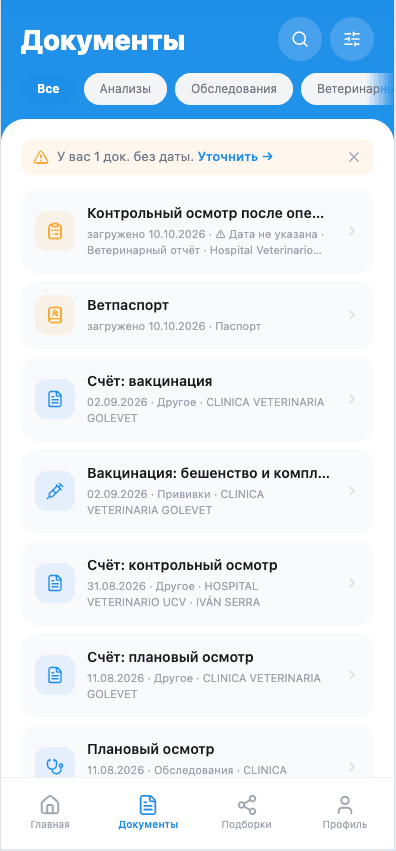
Create a medical file for your pet and upload one document. The service keeps the original, extracts available details and creates a short summary for applicable documents. Review the document type, date, clinic and pet before relying on the extracted fields.
Search and filters help you find a record. The original remains alongside the extracted details: a summary supports navigation but does not replace the vet’s report. For several photos, first prepare the pages of one document.
Choose the files needed for a consultation rather than automatically sharing everything. Follow the new vet checklist to prepare the relevant history.
After each appointment
- Save the original files and check that they open.
- Confirm the pet and the document date.
- Add the new records to that pet’s folder or medical file.
- Keep earlier documents that show the sequence of events.
- Note any missing result or report and request it.
If you have vaccination documents, bring them into a separate history. The purpose of the system is to find the source of a fact quickly, rather than remember every detail yourself.